
Why WordPress Websites Get Slow: Proven Performance Tips
Introduction
Why WordPress websites get slow is one of the most common questions business owners ask after their website has been live for a while. A site that once loaded quickly can gradually become sluggish, difficult to manage, and frustrating for visitors. In many cases, the problem is not WordPress itself, but the combination of hosting, plugins, themes, media files, and ongoing website maintenance.
Website speed now plays a major role in user experience, SEO performance, and conversion rates. Slow-loading pages can reduce enquiries, increase bounce rates, and negatively affect Google rankings, especially on mobile devices. For small businesses relying on online leads or bookings, even a few extra seconds of loading time can impact revenue.
The good news is that most WordPress performance issues can be improved with the right approach. This guide explains the main reasons WordPress websites become slow, how these problems affect businesses, and practical ways to improve website speed without unnecessary technical complexity.
Why WordPress Websites Get Slow Over Time
WordPress websites rarely become slow overnight. Performance issues usually develop gradually as more content, plugins, media, and third-party tools are added over time.
WordPress Performance Depends on Multiple Moving Parts
A WordPress website relies on several components working together efficiently, including:
- Hosting infrastructure
- Website theme
- Plugins
- Database performance
- Media files
- External scripts
- Traffic volume
If one area becomes overloaded or poorly optimised, overall website performance can decline.
Why Speed Problems Often Build Up Gradually
Many businesses continue adding functionality to their website without reviewing long-term performance. New plugins, large image uploads, tracking scripts, and design elements can slowly increase page weight and server load.
Cheap shared hosting can also become a bottleneck as traffic grows. A website that performs adequately with low traffic may struggle once more visitors arrive through SEO or advertising campaigns.
Common Symptoms of a Slow WordPress Website
Common signs of WordPress performance issues include:
- Slow page loading times
- Delayed admin dashboard response
- Poor mobile experience
- Timeouts or temporary errors
- Low Google PageSpeed scores
- Increased visitor drop-off
These issues often affect both user experience and search visibility.
The Biggest Factors That Affect WordPress Website Speed
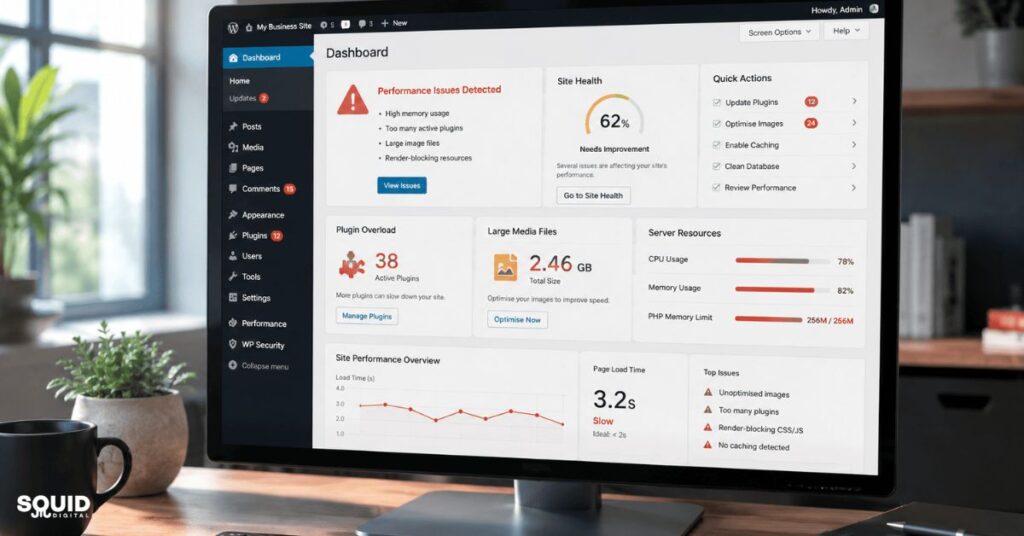
Several technical and content-related factors contribute to slow WordPress performance. Identifying the real cause is important before making changes.
Hosting Quality and Server Performance
Hosting is one of the biggest influences on website speed. Low-cost shared hosting environments often place hundreds of websites on the same server, reducing available resources.
Older server configurations and outdated PHP versions can also slow down website processing.
Heavy Themes and Page Builders
Many visually impressive WordPress themes contain excessive scripts, animations, and features that are never actually used.
Some page builders generate large amounts of code, increasing page size and browser processing time. While these tools can simplify design, they may reduce performance if not properly optimised.
Too Many Plugins or Poorly Built Plugins
Plugins are useful, but excessive or poorly coded plugins can create major performance issues.
Problems often include:
- Duplicate functionality
- Excessive database queries
- Background processing tasks
- Script conflicts
A website with fewer, well-maintained plugins usually performs better than one overloaded with unnecessary features.
Large Images and Unoptimised Media
Large media files are a common reason WordPress websites get slow. Uploading high-resolution images directly from phones or cameras can significantly increase page loading time.
Modern websites should use compressed images and efficient formats such as WebP where possible.
External Scripts and Third-Party Tools
External tools can also slow down websites, including:
- Chat widgets
- Advertising scripts
- Social media feeds
- Tracking pixels
- Embedded videos
Each external request adds loading time and increases browser processing requirements.
How Slow Website Speed Impacts Small Businesses
A slow website affects more than user convenience. It can directly impact enquiries, sales, advertising performance, and search rankings.
Lost Leads and Reduced Conversions
Visitors expect websites to load quickly. If pages take too long, users often leave before interacting with the content.
For service businesses, this may result in:
- Fewer contact form submissions
- Reduced bookings
- Lower phone call enquiries
- Decreased trust and credibility
SEO and Google Ranking Challenges
Google increasingly prioritises user experience signals, including loading speed and Core Web Vitals.
Slow websites may experience:
- Lower mobile rankings
- Reduced crawl efficiency
- Higher bounce rates
- Lower engagement signals
This is particularly important as search engines continue moving towards AI-generated summaries and answer-based search experiences.
Advertising Costs Can Increase
Landing page performance also affects paid advertising campaigns. Slow websites can reduce landing page quality signals, potentially increasing advertising costs over time.
Businesses investing in Google Ads often overlook how website speed influences campaign efficiency.
Real-World Example: Local Business Website Performance Issues
Example Scenario
A local service business used a low-cost hosting plan, a heavy theme, and more than 35 active plugins. The homepage included autoplay video backgrounds and oversized images.
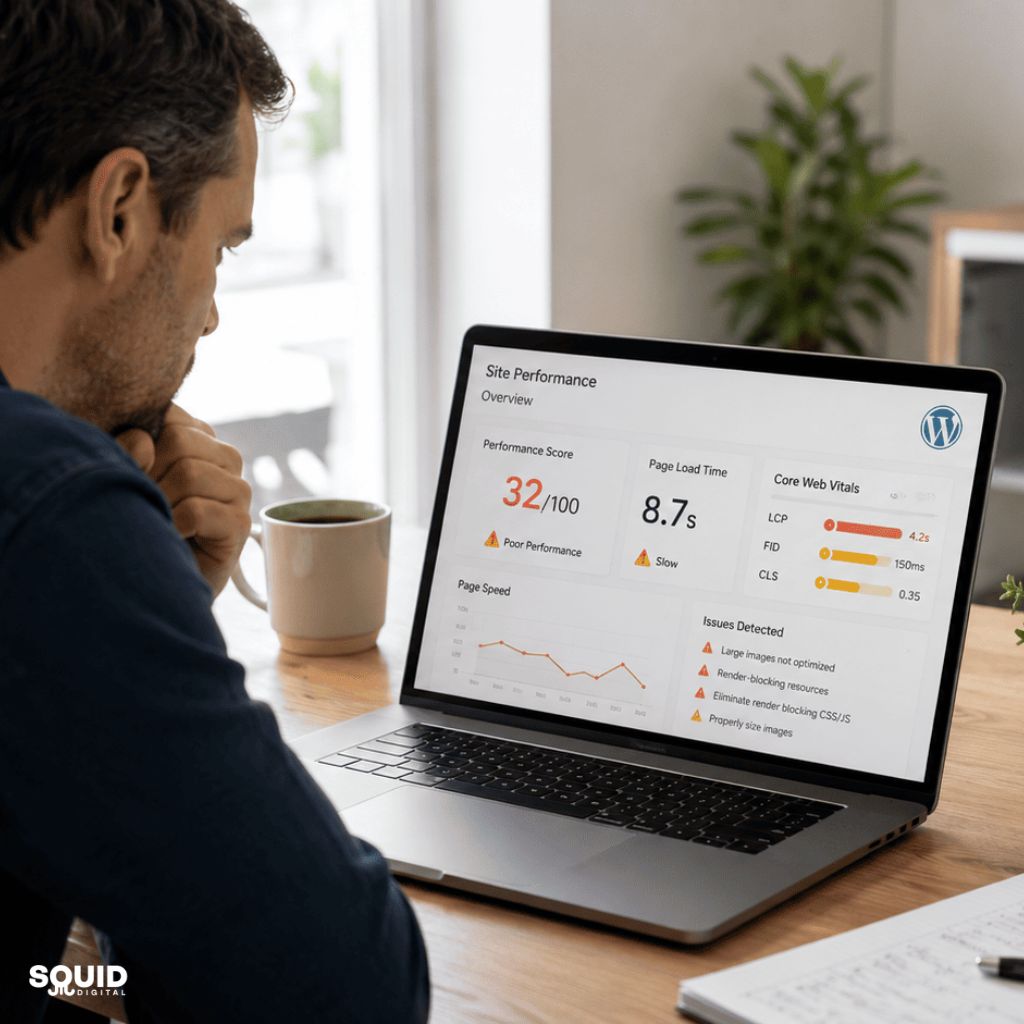
Mobile visitors experienced loading times exceeding eight seconds.
Result After Optimisation
After upgrading hosting, compressing images, removing unnecessary plugins, and enabling caching:
- Mobile load time dropped significantly
- Bounce rate improved
- More visitors completed enquiry forms
- Organic traffic gradually increased
The business did not redesign the website entirely. Most improvements came from performance optimisation and ongoing maintenance.

Practical Ways to Improve WordPress Website Speed
Improving WordPress speed usually requires a combination of technical optimisation and ongoing website management.
Start With Better Hosting
Reliable hosting provides the foundation for website performance.
Look for hosting that offers:
- Modern PHP support
- Fast server infrastructure
- SSD or NVMe storage
- Optimised WordPress environments
- Good technical support
Managed WordPress hosting has become increasingly popular because it simplifies performance management for small businesses.
Remove Unnecessary Plugins and Features
A plugin audit can quickly identify performance problems.
Review plugins regularly and remove:
- Unused plugins
- Duplicate functionality
- Outdated tools
- Heavy plugins with minimal value
Optimise Images Properly
Images should be compressed before upload whenever possible.
Recommended practices include:
- Resize images to appropriate dimensions
- Use WebP formats
- Compress large files
- Avoid full-resolution uploads
Enable Caching and CDN Services
Caching reduces server processing by storing pre-generated versions of pages.
A CDN (Content Delivery Network) can also improve speed by delivering files from locations closer to the visitor.
Optimise the WordPress Database
Over time, WordPress databases collect unnecessary data, including:
- Post revisions
- Spam comments
- Expired transients
- Temporary plugin data
Database optimisation helps reduce unnecessary processing.
Reduce Heavy Front-End Elements
Some design features negatively affect performance more than expected.
Common issues include:
- Excessive animations
- Video backgrounds
- Large sliders
- Multiple font libraries
Simpler websites often load faster and convert better.
Quick Recap
Key areas that most commonly improve WordPress speed:
- Better hosting
- Plugin cleanup
- Image optimisation
- Caching
- Database maintenance
- Reduced front-end bloat
A Simple WordPress Speed Optimisation Checklist
Businesses often ask where to start. The best approach is to prioritise practical improvements first.
Quick Wins for Faster Performance
- Update WordPress core, themes, and plugins
Updates often include performance and security improvements. - Remove unused plugins and themes
Reducing unnecessary code lowers server load. - Compress large images
Smaller images improve loading speed immediately. - Enable caching
Caching reduces repeated processing requests. - Upgrade outdated hosting
Faster servers improve overall responsiveness. - Optimise mobile performance
Mobile visitors often experience slower network speeds. - Reduce external scripts
Limit unnecessary widgets and tracking tools. - Monitor website speed regularly
Ongoing testing helps identify future issues early.
Recommended Areas to Review Monthly
- Plugin updates
- Broken scripts
- Image uploads
- Database growth
- Security scans
- Core Web Vitals performance
Businesses that maintain their website consistently usually experience fewer performance problems over time.
WordPress Speed Optimisation Tools and Solutions
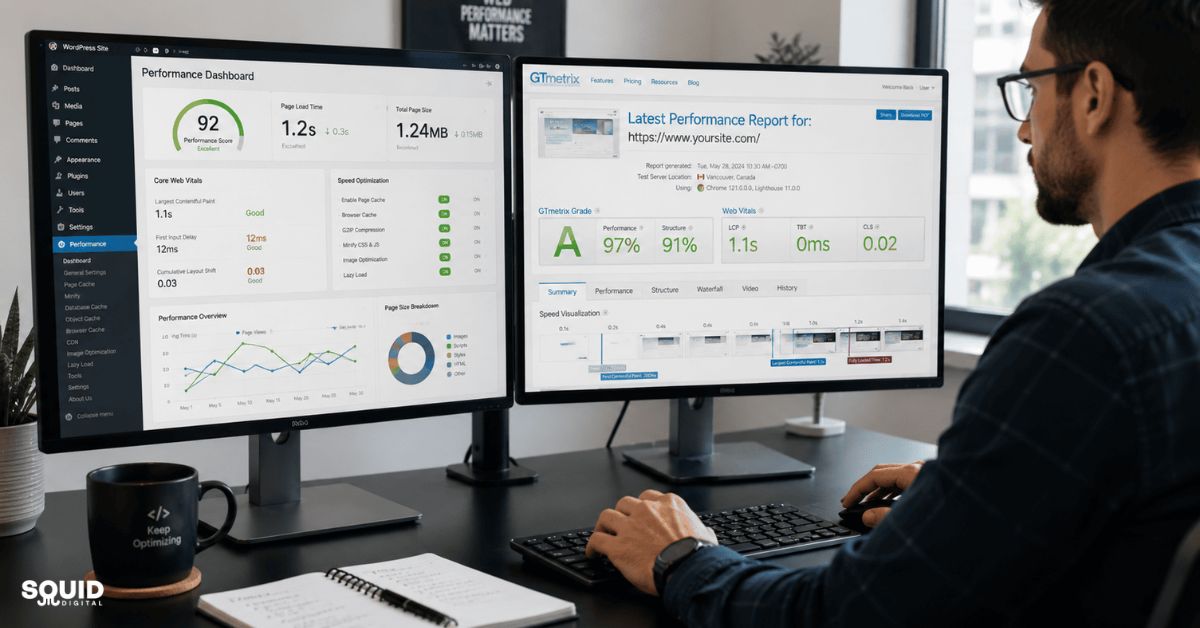
Several tools can help identify why WordPress websites get slow and where improvements are needed.
Performance Testing Tools
| Tool | Main Purpose | Best For |
|---|---|---|
| Google PageSpeed Insights | Core Web Vitals analysis | SEO performance |
| GTmetrix | Detailed loading analysis | Technical reviews |
| Pingdom Tools | Page speed testing | Quick monitoring |
| WebPageTest | Advanced performance testing | Deep diagnostics |
Common Optimisation Plugins
Useful plugin categories include:
- Caching plugins
- Image compression plugins
- Database optimisation plugins
- Asset management tools
However, more optimisation plugins do not always mean better performance.
When DIY Optimisation May Not Be Enough
Some websites require advanced optimisation, especially:
- WooCommerce stores
- High-traffic websites
- Custom-coded websites
- Membership platforms
In these situations, server-level optimisation or technical support may be necessary.
Common Mistakes That Continue Slowing Down WordPress Websites
Many performance problems persist because businesses focus on symptoms rather than root causes.
Focusing Only on Plugins
Plugins matter, but hosting quality and theme structure also affect performance significantly.
Removing plugins alone may not solve deeper server-related problems.
Ignoring Mobile Performance
Mobile traffic now dominates many industries. A website that performs well on desktop may still feel slow on mobile networks.
Mobile-first optimisation has become increasingly important for SEO and user experience.
Installing Too Many “Speed Optimisation” Plugins
Some businesses install multiple caching or optimisation plugins simultaneously, creating conflicts and additional server load.
A simpler optimisation setup is often more effective.
Uploading Full-Size Images Directly From Phones or Cameras
Modern smartphones create extremely large image files. Uploading them without resizing slows down page loading considerably.
Never Monitoring Website Performance
Website performance is not a one-time task.
Without regular monitoring:
- Plugins become outdated
- Database size increases
- Scripts break
- Loading times gradually worsen
Common Long-Term Performance Risks
- Neglected maintenance
- Cheap hosting limitations
- Excessive plugin usage
- Heavy media files
- Outdated software versions
Building a Faster WordPress Website for Long-Term Growth
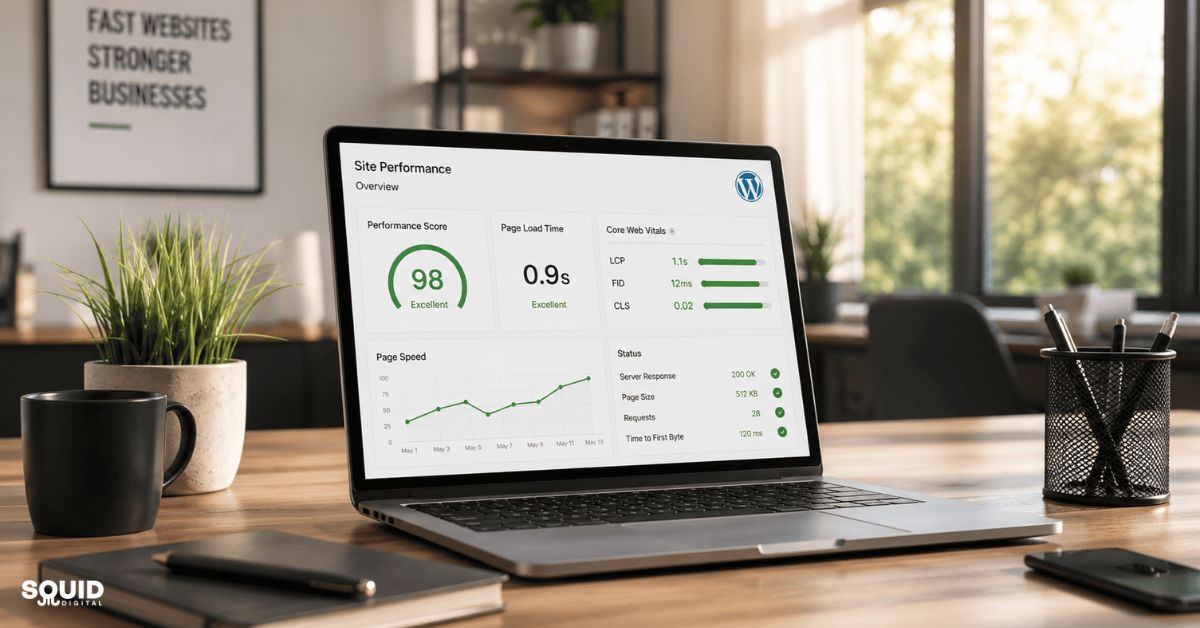
Fast websites create better experiences for both users and search engines. More importantly, they support long-term business growth.
Businesses with faster websites often experience:
- Better SEO visibility
- Higher conversion rates
- Lower bounce rates
- Improved advertising efficiency
- Better mobile engagement
Perfect PageSpeed scores are not always necessary. Consistent, practical optimisation usually delivers more value than chasing unrealistic benchmarks.
Website performance should be treated as an ongoing business asset rather than a one-off technical task.
Get Expert Help Improving Your WordPress Website Performance
Improving WordPress speed does not always require a complete website rebuild. In many cases, practical optimisation, better hosting, and ongoing maintenance can produce meaningful improvements.
If your website feels slow, start by reviewing hosting quality, plugin usage, image optimisation, and mobile performance. Even small improvements can create a better user experience and stronger SEO outcomes over time.
You can also subscribe to our LinkedIn newsletter for more practical insights on website performance, SEO, and WordPress optimisation for small businesses.
FAQ
Why do WordPress websites become slow over time?
WordPress websites often become slow because more plugins, media files, scripts, and database content accumulate over time. Without regular maintenance, these elements increase server load and page size.
Can too many plugins slow down a WordPress website?
Yes. Excessive or poorly coded plugins can increase database queries, background processing, and script conflicts, all of which affect loading speed.
Does website hosting affect WordPress speed?
Yes. Hosting quality is one of the biggest factors affecting website performance. Slow servers or overcrowded shared hosting environments can significantly reduce loading speed.
How can we check if a WordPress website is slow?
Tools such as Google PageSpeed Insights, GTmetrix, and WebPageTest can analyse loading speed and identify performance bottlenecks.
What is a good loading speed for a business website?
Ideally, important pages should load within two to three seconds, particularly on mobile devices.
Can slow website speed affect Google rankings?
Yes. Website speed and Core Web Vitals are part of Google’s broader user experience signals, which can influence rankings.
Do images impact WordPress performance?
Yes. Large, uncompressed images are one of the most common causes of slow WordPress websites.
Is WordPress speed optimisation worth it for small businesses?
Absolutely. Faster websites generally improve user experience, SEO visibility, conversion rates, and advertising performance.
Building a Faster Website Starts With Consistent Optimisation
Understanding why WordPress websites get slow helps businesses make smarter decisions about website management and performance optimisation. In most cases, slow loading speeds are caused by a combination of hosting limitations, excessive plugins, large media files, outdated configurations, and ongoing maintenance issues rather than WordPress itself.
Improving website speed is not only about technical performance. Faster websites create a better user experience, support stronger SEO visibility, improve mobile usability, and can help increase enquiries or conversions over time. Even small improvements such as image compression, caching, plugin cleanup, and better hosting can produce noticeable results.
Rather than chasing perfect speed scores, businesses should focus on building a stable, well-maintained website that performs consistently for both visitors and search engines.
Small Changes Can Make a Noticeable Difference
If your WordPress website feels slower than it used to, start with a simple performance review and focus on the areas that create the biggest impact first. Consistent optimisation and regular maintenance often deliver better long-term results than quick fixes alone.
Need help improving your WordPress website performance? Contact us for practical advice and tailored solutions to help your website load faster and perform better.
Follow our LinkedIn newsletter for practical insights, website performance tips, SEO strategies, and WordPress optimisation updates for growing businesses.